StockLedger workflow
Move operational records into the journal workflow
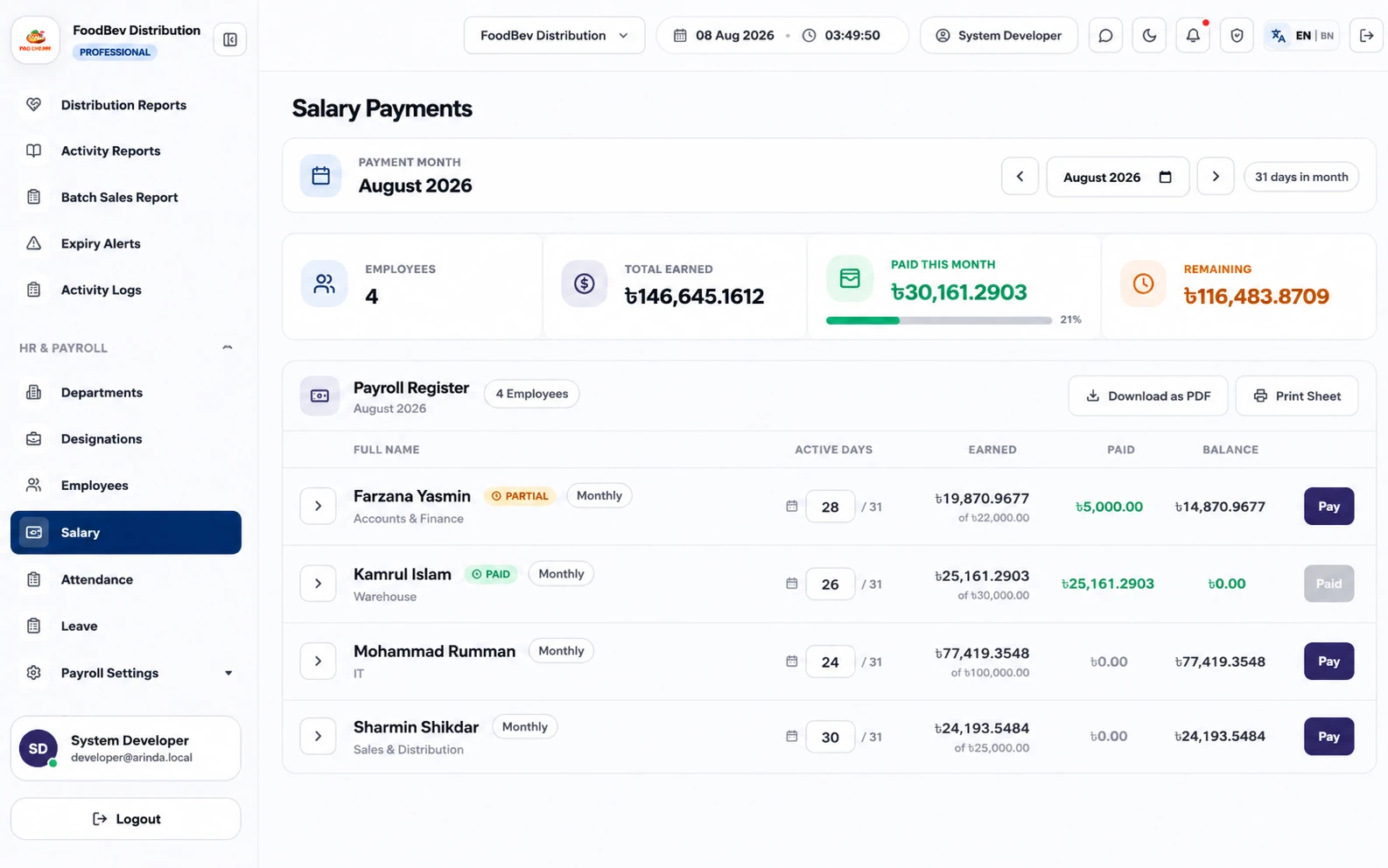
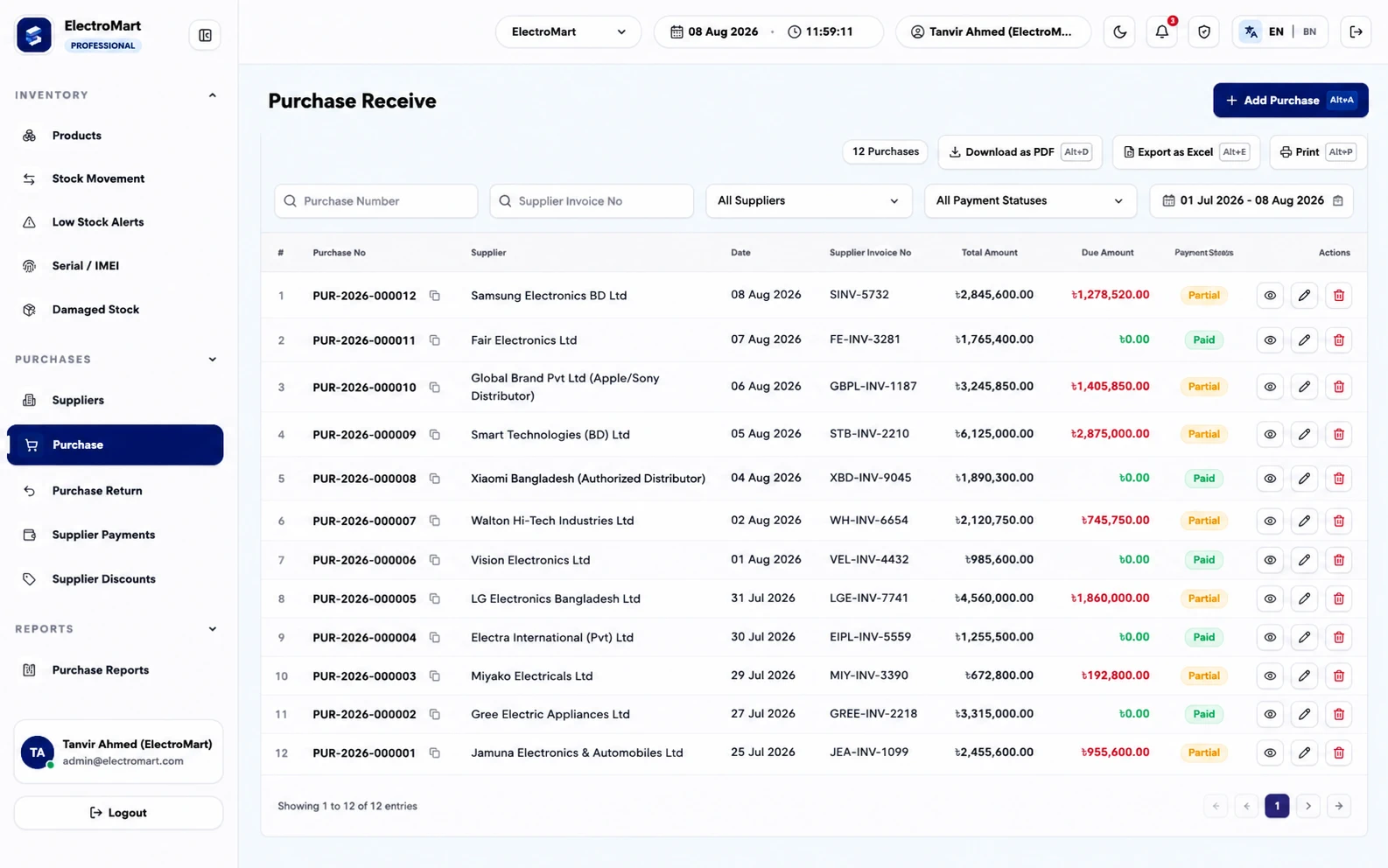
When configured for posting, sales invoices, purchase receipts, returns, customer collections, supplier payments, expenses, finance transfers, settlements, payroll, installments, and vouchers create traceable journal activity. The source document remains available so reviewers can follow a balance back to the business event instead of re-entering it in a separate ledger.
StockLedger workflow
Review the general ledger before relying on statements
Accountants can filter journal-driven ledger lines by account and date, inspect opening and running balances, and trace document references and narration. Manual journal, receipt, payment, and contra vouchers cover controlled adjustments that do not originate in an operational workflow.
StockLedger workflow
Work from trial balance to profit and loss and balance sheet
The trial balance summarizes debit and credit movement from posted journals. Profit and loss organizes income and expenses for a selected period, while the balance sheet calculates assets, liabilities, and equity as of a chosen date. These reports are connected, so a ledger correction flows through to the statements.
StockLedger workflow
Review cash, bank, customers, and suppliers
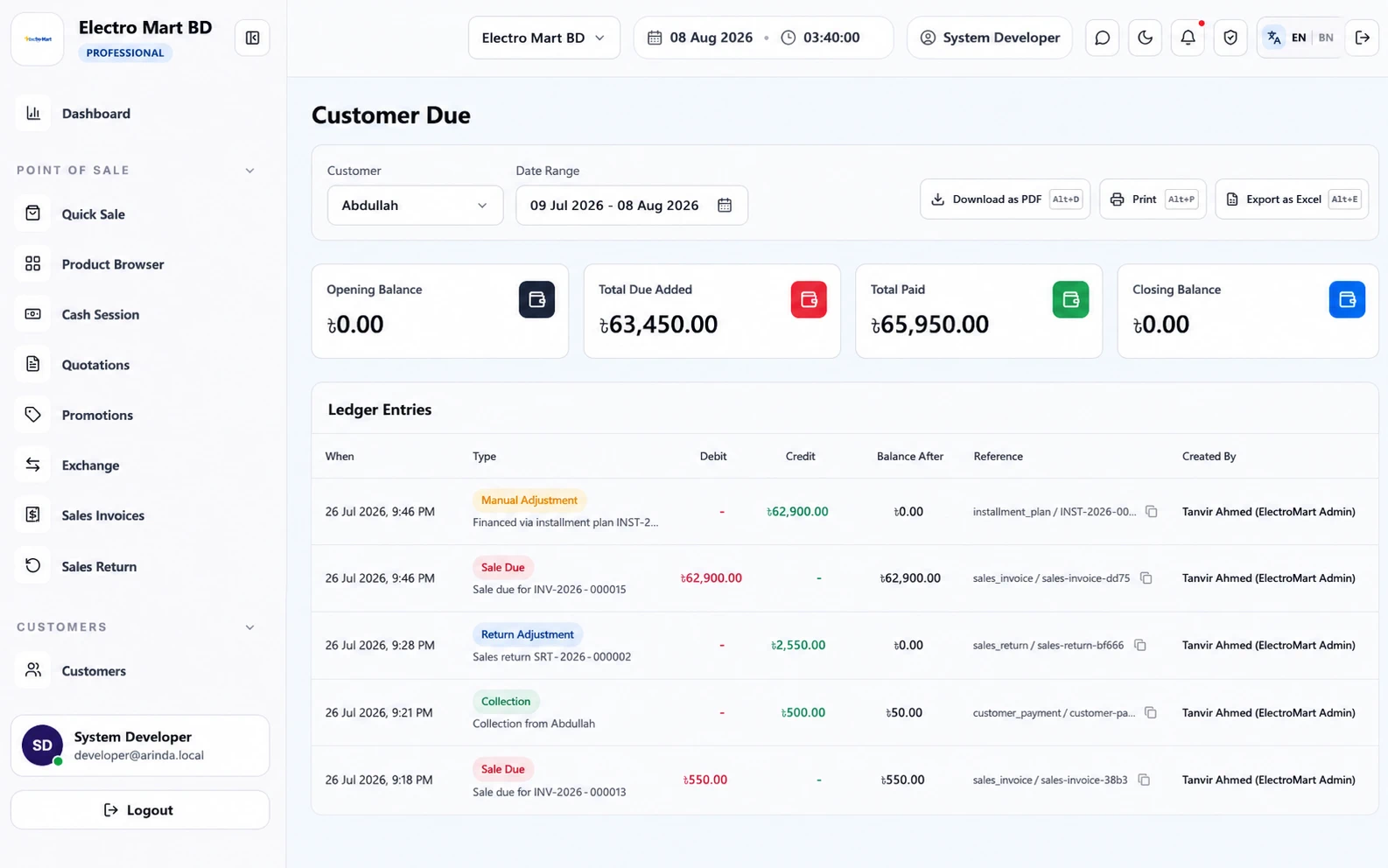
Cash book and bank book views show opening balance, transaction movement, and closing balance. Customer and supplier ledgers use receivable and payable journal activity to show running balances and the source records behind amounts due.
StockLedger workflow
Give accountants controls without replacing judgment
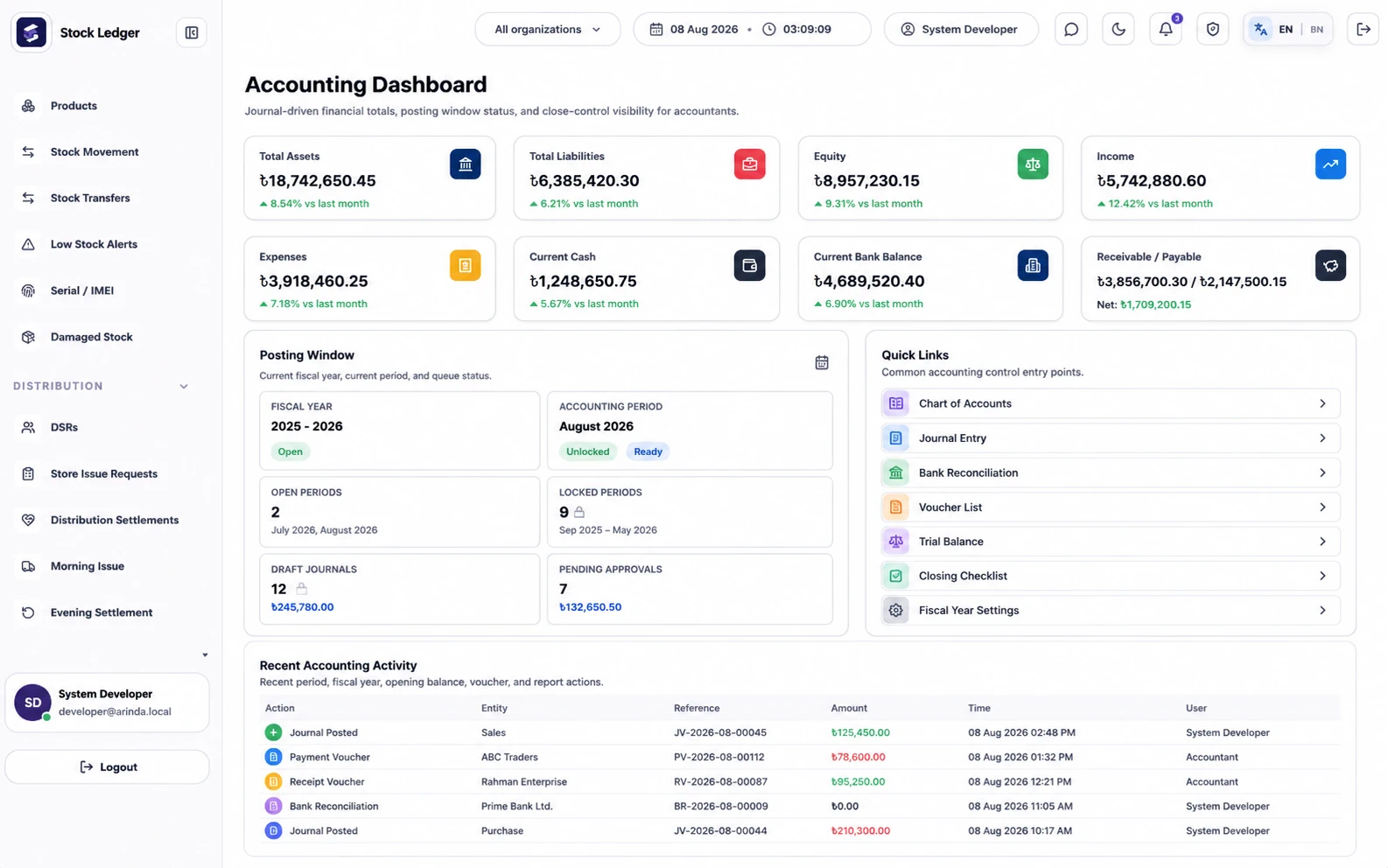
Accountants can review the chart of accounts, posting periods, opening balances, vouchers, unusual balances, supporting documents, and year-close checks. They still need to choose accounting policies, validate classifications and cut-off, reconcile external statements, assess estimates, and decide whether reports meet tax, audit, or statutory requirements.
Buying guide
How to evaluate this type of software
Buyers usually land on this page when the current workflow has become too manual, too slow, or too disconnected from daily reporting. They are not just looking for a feature list. They want to know whether Accounting can stay connected with sales, stock, due, purchasing, finance, user control, and management reporting.
That is where StockLedger is different from a narrow single-purpose tool. It is designed for businesses that want one operational system instead of separate apps that have to be reconciled later. For many teams in Bangladesh, that means fewer duplicate entries, better owner visibility, and cleaner day-end or month-end review.
Expected outcomes
What usually improves after implementation
Faster month-end and day-end visibility for cash, bank, expenses, and receivables.
Cleaner handoff between owner, manager, cashier, and accountant.
Better confidence in ledger, trial balance, profit and loss, and balance sheet review.
Connected modules
What businesses usually connect next
The clearest buying guides connect each requirement to the wider operation. A company that needs Accounting rarely needs it in isolation. Most teams also ask about reporting, finance visibility, stock accuracy, collection control, role permissions, or route accountability.
Frequently asked questions
How do sales and purchases reach accounting?
Configured operational workflows post balanced journal entries with source references, reducing duplicate entry while preserving a trail back to the invoice, receipt, return, payment, or settlement.
Can an accountant review individual account movement?
Yes. General and account ledgers provide date filters, opening balances, running balances, narration, and source-document references.
Which financial reports are included?
StockLedger includes trial balance, profit and loss, balance sheet, cash flow, cash book, bank book, customer ledger, supplier ledger, and account-ledger workflows.
Does StockLedger complete bank reconciliation automatically?
It records cash, bank, and transfer activity for review. The accountant still needs to compare system balances with external bank statements and investigate differences.
Does the software guarantee tax or legal compliance?
No. It organizes records and reports; a qualified professional must review classifications, adjustments, supporting evidence, tax treatment, and statutory obligations for the business.